

Japan’s Mercari is a popular second-hand platform for hunting down rare sneakers, trading cards and limited-edition merch, but overseas users can’t register or buy there directly. As an official partner of Mercari JP, Buy&Ship offers a proxy shopping service — just provide the product page URL, and our team contacts the seller, pays, declares and consolidates for you, with no Japanese phone or credit card needed. Here’s a step-by-step walkthrough.
📌 TL;DR
・Official partner: Buy&Ship is an official partner of Mercari JP, offering a proxy shopping service.
・Simple to use: just provide the product page URL — our team contacts the seller, pays, declares and consolidates for you.
・No Japan account: no Japanese phone verification or credit card required.
・Consolidation: items can be combined at our Japan warehouse and shipped to Malaysia in one go.
・Even easier: browse Mercari products right inside the Buy&Ship website/app and order in one click.

Mercari JP is one of Japan’s largest C-to-C marketplaces, with billions of listed items. From games, toys, CDs and films to fashion, books and idol merch, there’s always an unexpected treasure to find!
Further reading: Mercari vs JDirectItems Auction: which is better value for anime merch?
Table of Contents (click to jump)
→ 1. Mercari Proxy Shopping Tutorial (Web — Recommended)
→ 2. Browse Mercari Products on Buy&Ship & Order in One Click
→ 3. Mercari Proxy Shopping Tutorial (App)
→ 4. Most Popular Categories on Mercari
1. Mercari Proxy Shopping Tutorial (Web — Recommended)
We recommend ordering via the web version. It’s clearer on screen and makes it easy to copy the product link and complete your proxy order step by step.
Tip: Japan’s Mercari site is at https://jp.mercari.com/. On mobile, the page may auto-redirect to an overseas/cross-border version showing converted prices; open jp.mercari.com on a desktop browser to see the item’s price in Japanese yen (¥). Since a proxy order requires the item’s yen price, confirm it on desktop first, then enter the product URL and yen price in your order.
⚠️ Note: the Mercari product URL you submit must start with https://jp.mercari.com/.
Step 1: Log in or register for a Buy&Ship account
Go to the Buy&Ship website or app and log in, or register for free. New members enjoy a welcome shipping-fee rebate.

Step 2: Create an order
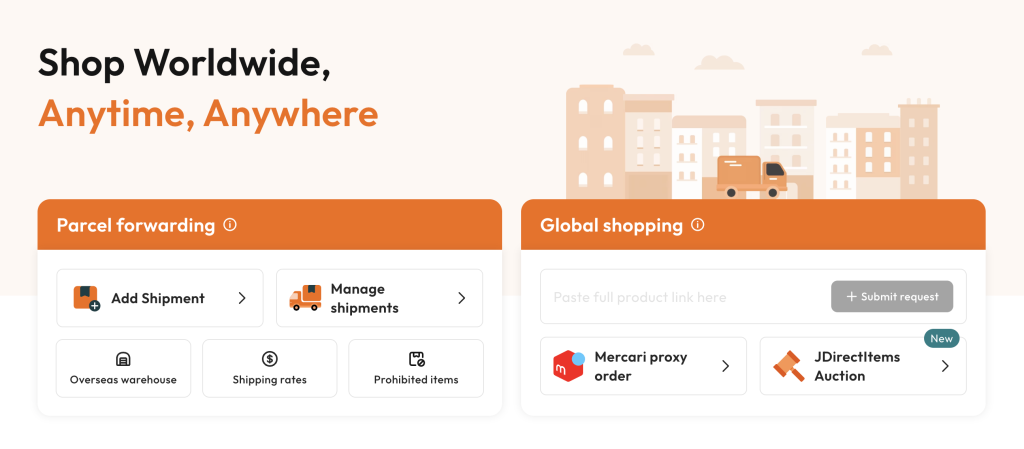
Once logged in, paste the product link into the box on the right of the homepage, then click “Submit Order”.
Step 3: Submit the product link & details
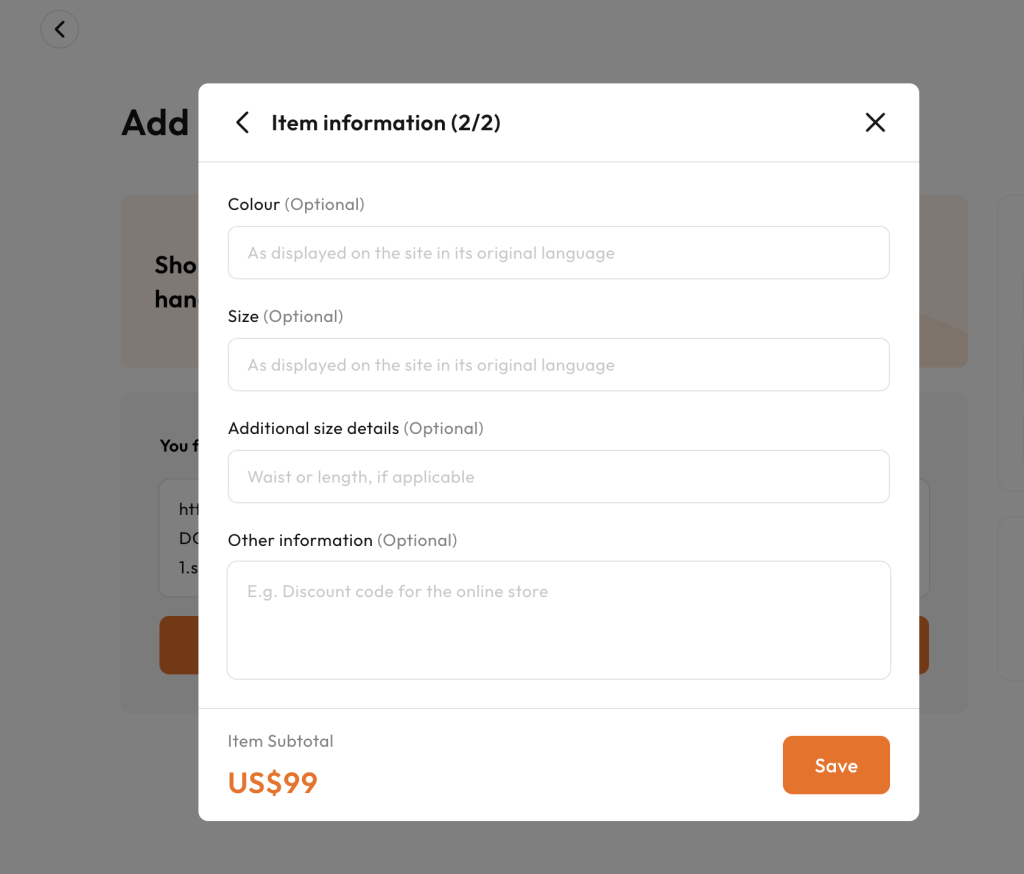
After clicking “Submit Order”, the system auto-fills the item details (name, image, price). Confirm the details are correct, then click “Save”.
Please note: each Mercari proxy order can only cover one item; even when buying multiple items from the same seller, they must be submitted as separate orders.
Step 4: Confirm the quote & pay
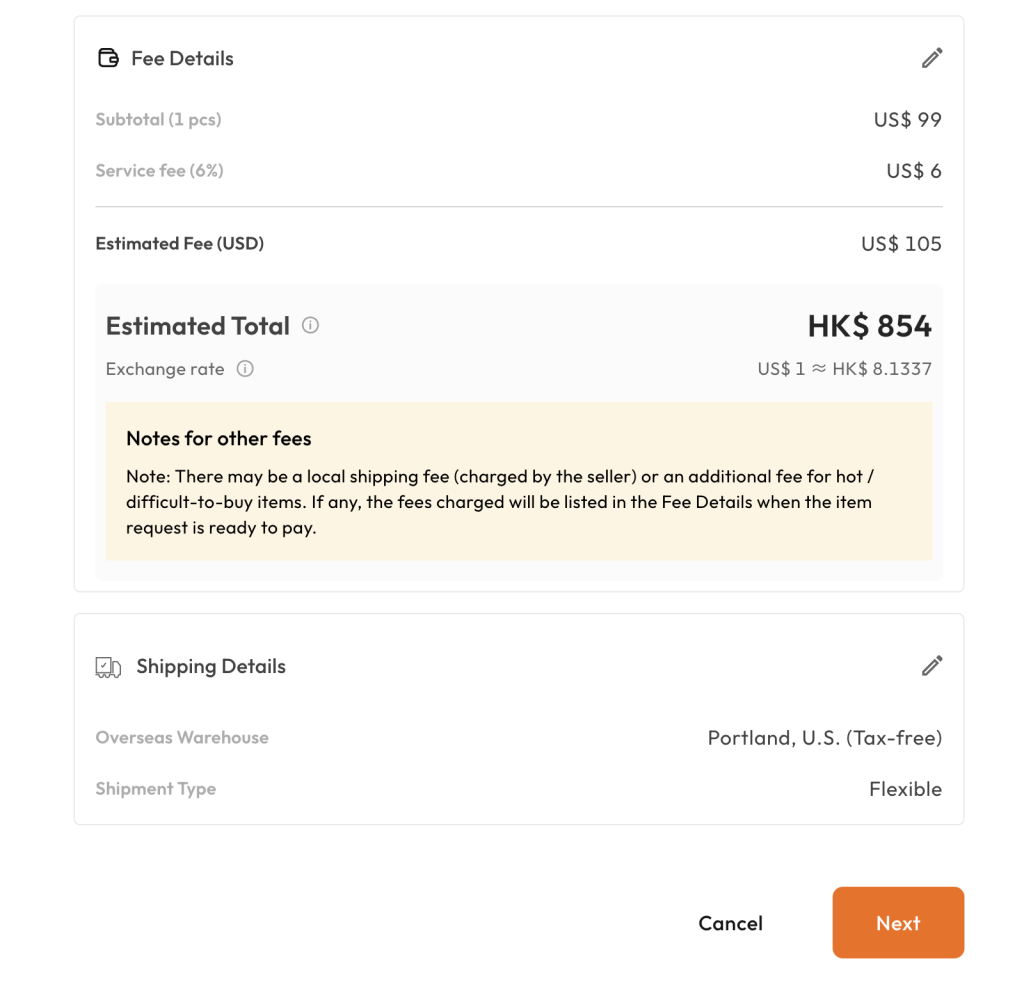
The system shows the estimated item cost and proxy service fee. Once confirmed, pay in your local currency. Buy&Ship then handles ordering, payment and all seller communication — you don’t need an overseas address or an overseas credit card.
Step 5: Warehouse arrival, consolidation & delivery
You’ll be notified once the item arrives at our warehouse, and can ship it on its own or consolidate it with other parcels. Confirm and pay the shipping fee, then wait for the doorstep delivery. You can track your parcel anytime on the Buy&Ship app or website.
2. Browse Mercari Products on Buy&Ship & Order in One Click
Besides the step-by-step web order above, there’s an even faster way: the Buy&Ship website and app have a built-in Mercari section. We’ve integrated Mercari’s product data, so you can search and browse Mercari items right on Buy&Ship and create a proxy order in one click — no switching back and forth between sites.
- Browse in English: search and browse Mercari items in a familiar interface, no language switching needed.
- Categories & brands: filter by categories like games & toys, fashion or baby & kids, or by popular brands such as Pokémon, Bandai and One Piece.
- One-click order: create a proxy order directly from the item — no need to copy links; our team handles the rest.
3. Mercari Proxy Shopping Tutorial (App)
Prefer using your phone? You can also order via the Buy&Ship app. Once you’ve found an item, copy its product page URL and submit it in the app.
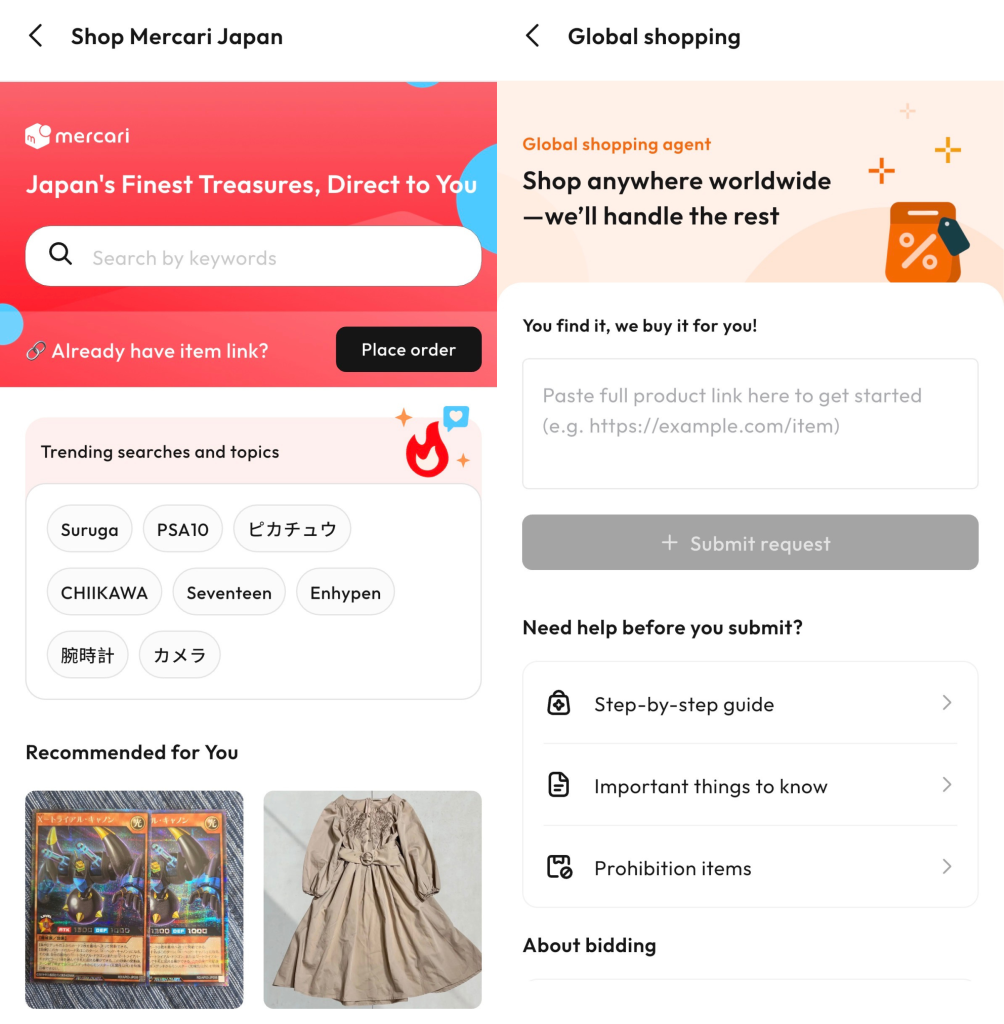
Step 1
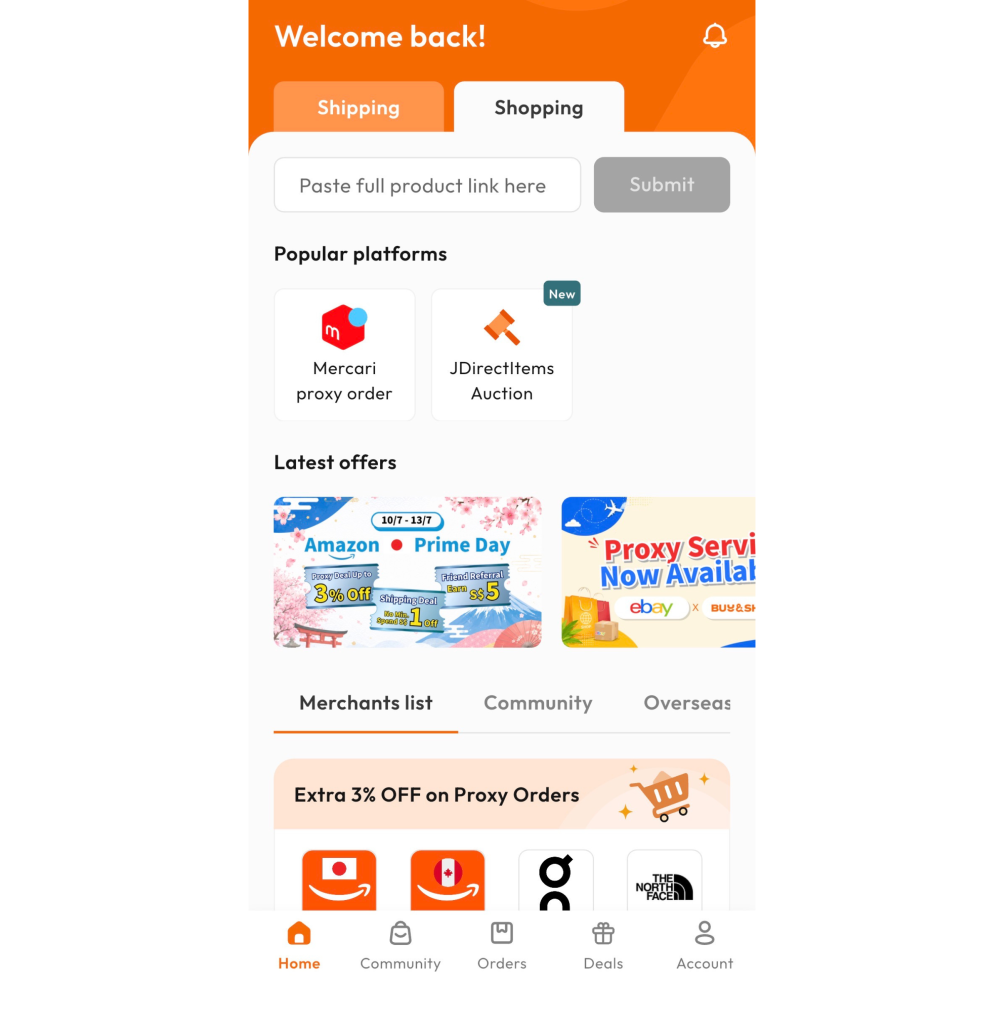
On the home screen, tap the Mercari icon to enter the proxy page.
Step 2
Enter a keyword to search for items, or tap “Create Order” if you already have a product link.
Step 3
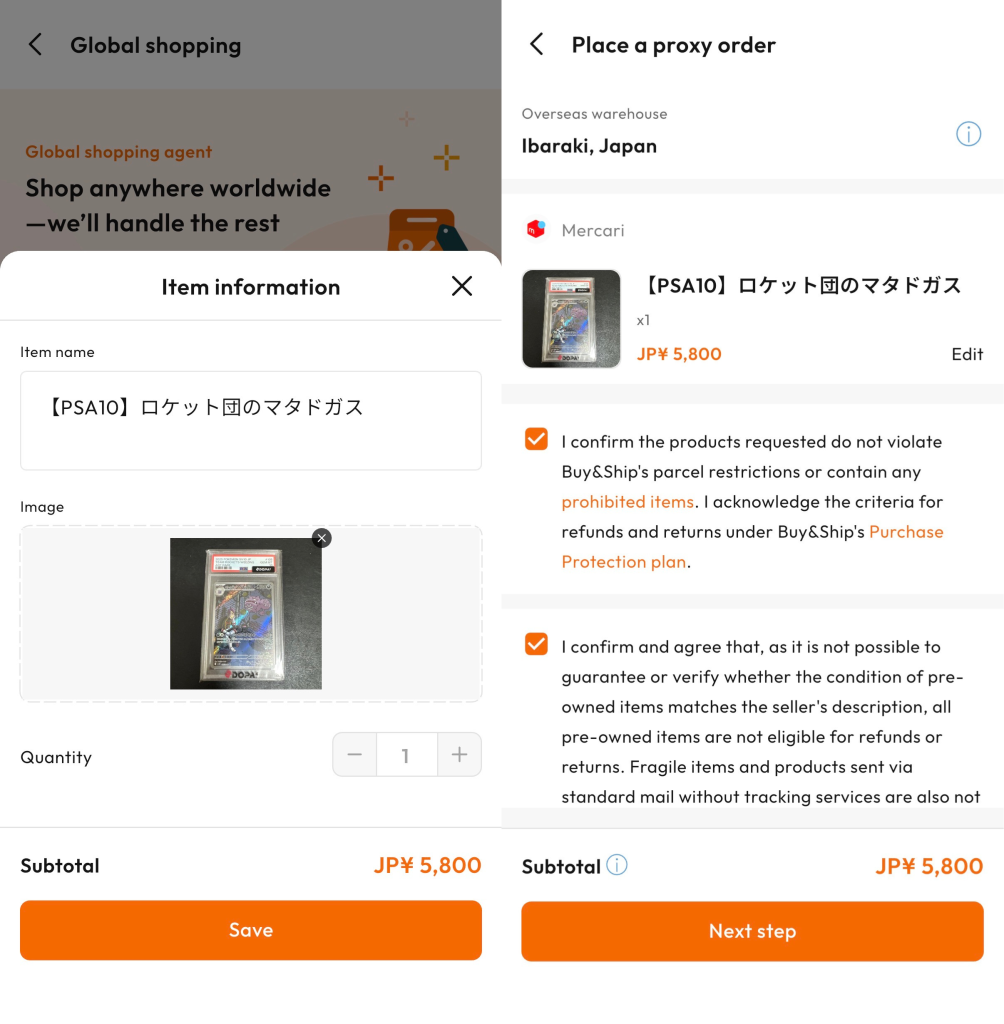
Paste the product page URL and tap “Submit Proxy Request”. The system auto-fills the item name; confirm the quantity and price, then tap “Save”. After agreeing to the proxy terms, tap “Next”.
Step 4
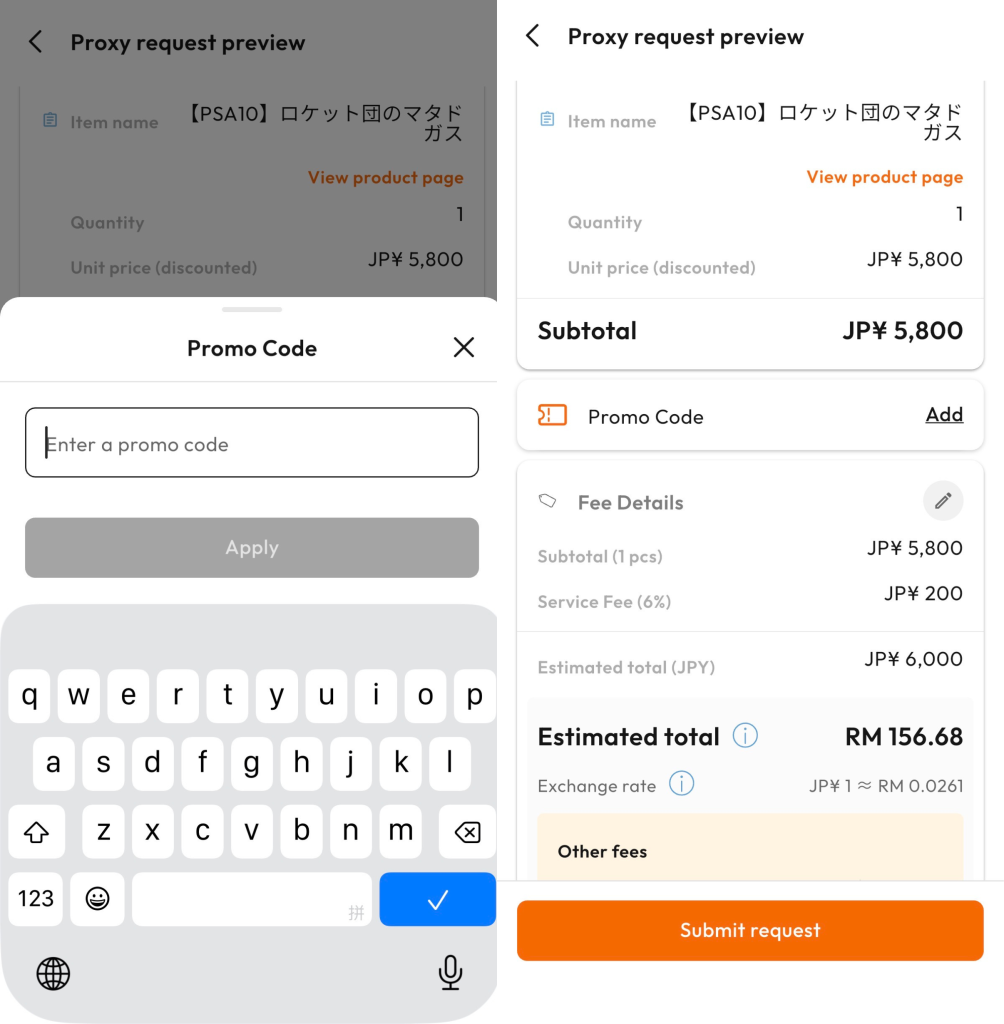
Enter a promo code (if any) and tap “Confirm” to place the order. Wait for our team to confirm your order and arrange payment — and you’re done!
Once we’ve bought and declared your item, you can consolidate and pay shipping under “Manage Orders” in the Member Centre when it’s ready to ship, then have it delivered.
4. Most Popular Categories on Mercari
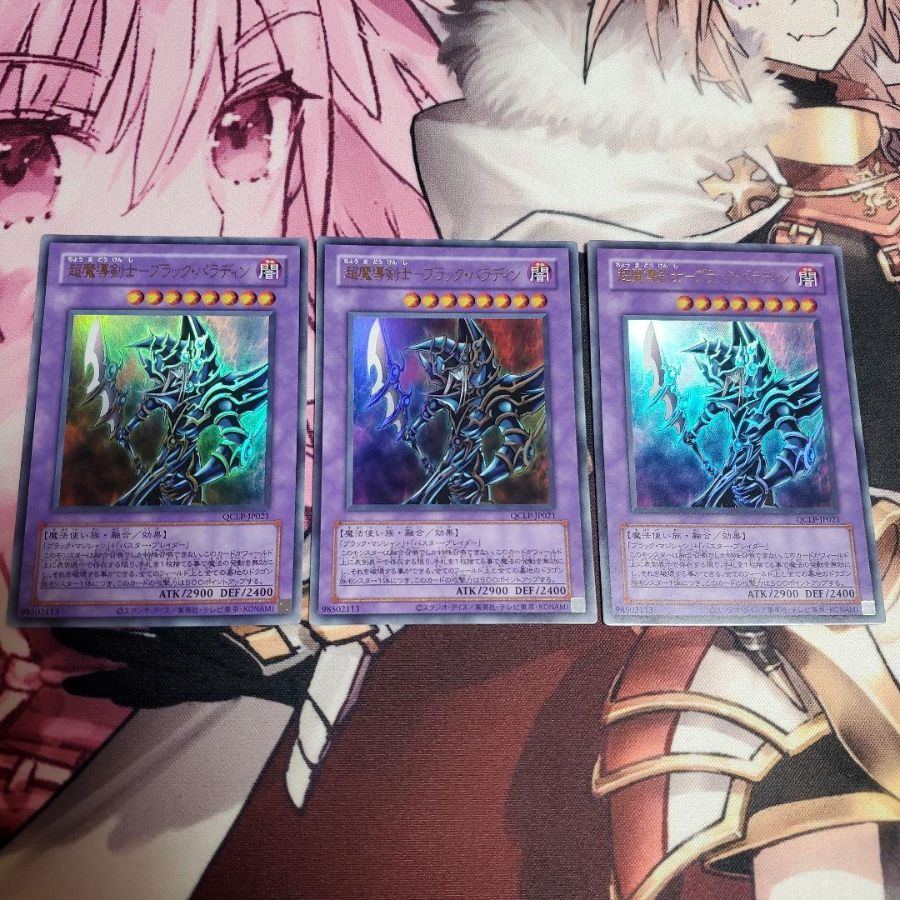
Gaming & Toys
Limited or rare items such as first-generation Pokémon cards, vintage consoles, or collector’s edition merch.

Music & Movies
Rare albums, limited-edition soundtracks, collectible CDs/DVDs, or exclusive concert merch.
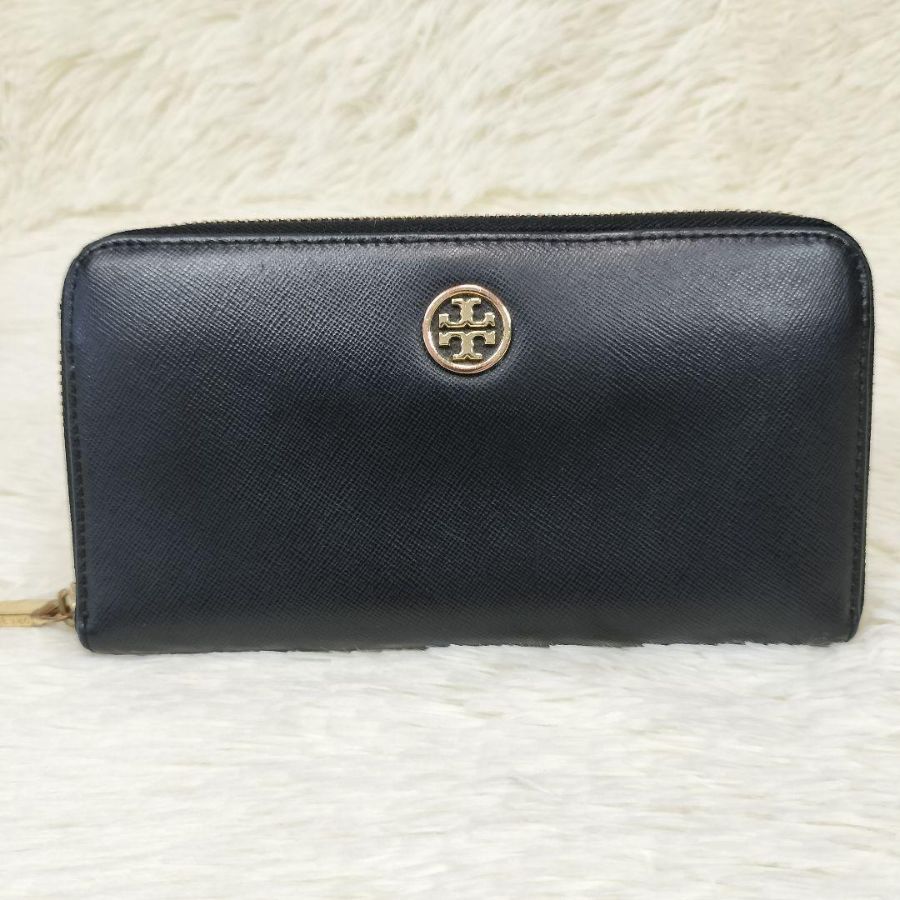
Fashion & Luxury Goods
Limited-edition designer bags, collab sneakers, rare vintage clothing, or pre-owned luxury watches.

Books & Comics
Complete manga sets, signed limited-edition comics, rare artbooks, doujinshi, and vintage magazines.
Note: prices and stock may change with sales and daily exchange rates; the marketplace listing always prevails. Image copyright belongs to the respective stores.